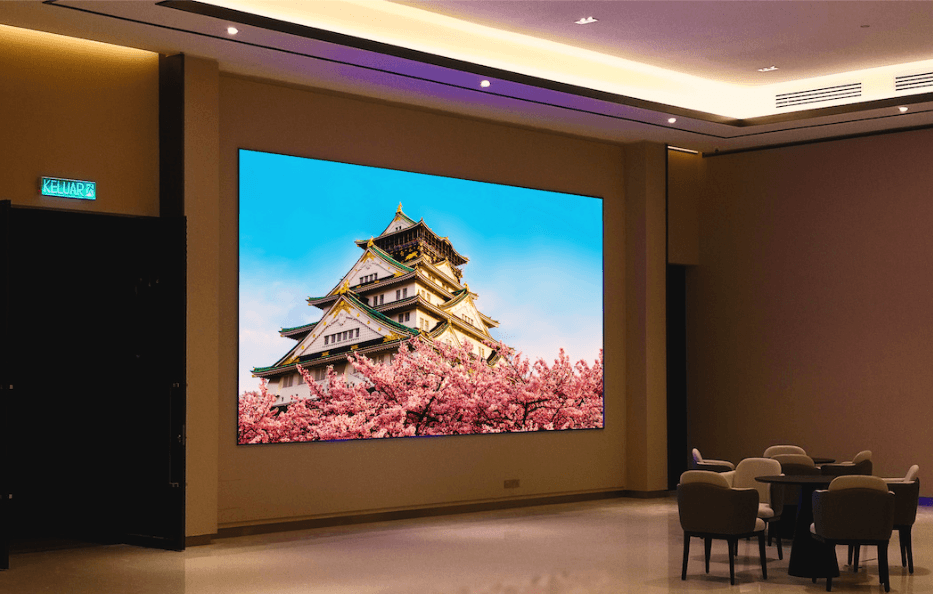

From retail stores and corporate boardrooms to concert venues and sports arenas, indoor LED display screens have become a staple of modern business communication. A well-chosen indoor LED screen can transform how you engage your audience delivering vivid, dynamic content that static displays simply can’t match. But with so many options on the market, making the right choice isn’t always straightforward.
The wrong display can mean poor image quality, high running costs, or a screen that simply doesn’t hold up over time. To help you avoid those pitfalls, here are ten essential tips to guide your decision.
Tip 1: Determine Your Display Size and Resolution
Before anything else, get clear on the size you need and the resolution that will deliver a sharp image at your intended viewing distance.
Pixel pitch the distance between each LED cluster is the key metric here. A smaller pixel pitch means a higher pixel density and a sharper image, which matters most when viewers are close to the screen. For a reception desk or meeting room, a fine pixel pitch of 1.5mm–2.5mm is typically ideal. For a larger venue where people view from further away, a pitch of 4mm–6mm may be perfectly adequate.
Getting this balance right upfront saves you from overspending on resolution you don’t need or underspending and ending up with a blurry display.
Tip 2: Consider Brightness and Contrast Levels
Indoor environments present a unique lighting challenge. Unlike outdoor displays, indoor LED screens don’t need to compete with direct sunlight, but they still need sufficient brightness to remain visible under ambient lighting conditions such as fluorescent or LED ceiling fixtures.
A brightness range of 800–1,500 nits is generally suitable for most indoor applications. Pair that with a strong contrast ratio look for 3,000:1 or higher and you’ll get rich, vibrant visuals that pop, even in well-lit rooms.
Tip 3: Evaluate Colour Accuracy and Gamut
Colour accuracy matters enormously for professional settings like retail displays, broadcast studios, or brand-facing environments where colour consistency is non-negotiable.
Look for screens that support a wide colour gamut and offer built-in colour calibration tools. This ensures that what you see on the display faithfully represents your content whether it’s a product promotion, a live feed, or a detailed data visualisation.
Tip 4: Assess Energy Efficiency and Heat Management
LED displays run for long hours, which means energy consumption adds up quickly. Comparing power usage across manufacturers is a smart move; energy-efficient models can significantly reduce your electricity bills over time.
Heat management is equally important. Excessive heat shortens component life and can cause display inconsistencies. Look for screens with effective passive or active cooling systems, and ask manufacturers about thermal management standards before committing to a purchase.
Tip 5: Check Refresh Rate and Response Time
For video-heavy content or live broadcasts, refresh rate is critical. A refresh rate of 3,840Hz or higher ensures smooth, flicker-free playback that looks professional on camera and to the naked eye.
Low refresh rates can produce visible flickering particularly noticeable in photographed or filmed content. Response time also affects how crisply the screen handles fast-moving visuals, so if dynamic content is a priority, don’t overlook these specs.
Tip 6: Review Durability and Build Quality
An indoor LED display is a long-term investment. Quality construction using robust housing materials, high-grade LEDs, and precision-engineered cabinets directly impacts how long your screen will last.
Ask about the expected lifespan of the LEDs (50,000 hours is a common benchmark) and review the warranty terms carefully. A screen that fails within a few years can quickly erode any cost savings you made at the point of purchase.
Tip 7: Analyse Installation and Maintenance Requirements
Some LED displays are straightforward to install; others require significant structural modifications and technical expertise. Before purchasing, consider whether the screen uses a modular design, which makes both installation and future repairs considerably easier.
Front-access maintenance is another valuable feature; it allows technicians to service individual panels without removing the entire screen from the wall. This reduces downtime and keeps maintenance costs manageable over the display’s life.
Tip 8: Compare Price and Budget Constraints
It’s tempting to focus solely on the upfront price, but total cost of ownership (TCO) is a more accurate measure of value. TCO includes installation costs, energy consumption, maintenance, and eventual replacement of components.
A cheaper screen that draws more power or requires frequent servicing may end up costing more than a higher-quality option over a five-year period. Set a realistic budget, but factor in the full picture before making your final call.
Tip 9: Check Compatibility and Integration
Your LED display doesn’t operate in isolation. It needs to integrate smoothly with your existing content management system (CMS), media players, and any other hardware in your setup.
Check for compatibility with popular CMS platforms and confirm the available input options HDMI, DisplayPort, USB, and network connectivity are all common requirements. The easier the display is to control and update, the more efficiently your team can manage content day to day.
Tip 10: Research Vendor Support and Warranty
Even the best LED display can run into issues, and when it does, reliable vendor support makes all the difference. Look for suppliers who offer responsive after-sales service, clear warranty terms, and a track record of honouring them.
A warranty of at least two to three years is a reasonable baseline, though many reputable manufacturers offer more. It’s also worth checking whether the vendor provides on-site support or only remote assistance, particularly for large or complex installations.
See also: How Quantum Computing Will Revolutionize the Tech Industry
Make a Confident, Informed Decision
Choosing the right indoor LED display screen comes down to understanding your environment, your content, and your long-term operational needs. Pixel pitch and resolution set the foundation; brightness, colour accuracy, and refresh rate determine the quality of your visuals; and build quality, maintenance, and vendor support protect your investment over time.
There’s no single “best” screen for every situation the right choice depends on your specific use case, viewing distances, and budget. Use these ten tips as a checklist to narrow down your options, and don’t hesitate to consult with a specialist before making your final decision.
Ready to explore your options? Speak with a display solutions expert or request a product demo to see how different screens perform in conditions similar to your own environment.


 By
By



 By
By